logo

Solutions

Integrations

Commission

Partners

Resources

Sign up

Log in

EN
logo

Account settings

Change or reset your password

Did you forget your password? Don't worry, you can easily reset it with your registered email.

Did you forget your password? Don't worry, you can easily reset it with your registered email.

Last updateOctober 30, 2025

Where to reset your password?

Follow these steps to regain access to your account:

  1. Go to Ecart Pay and click on Log in.

  2. Select the option Forgot your password?.
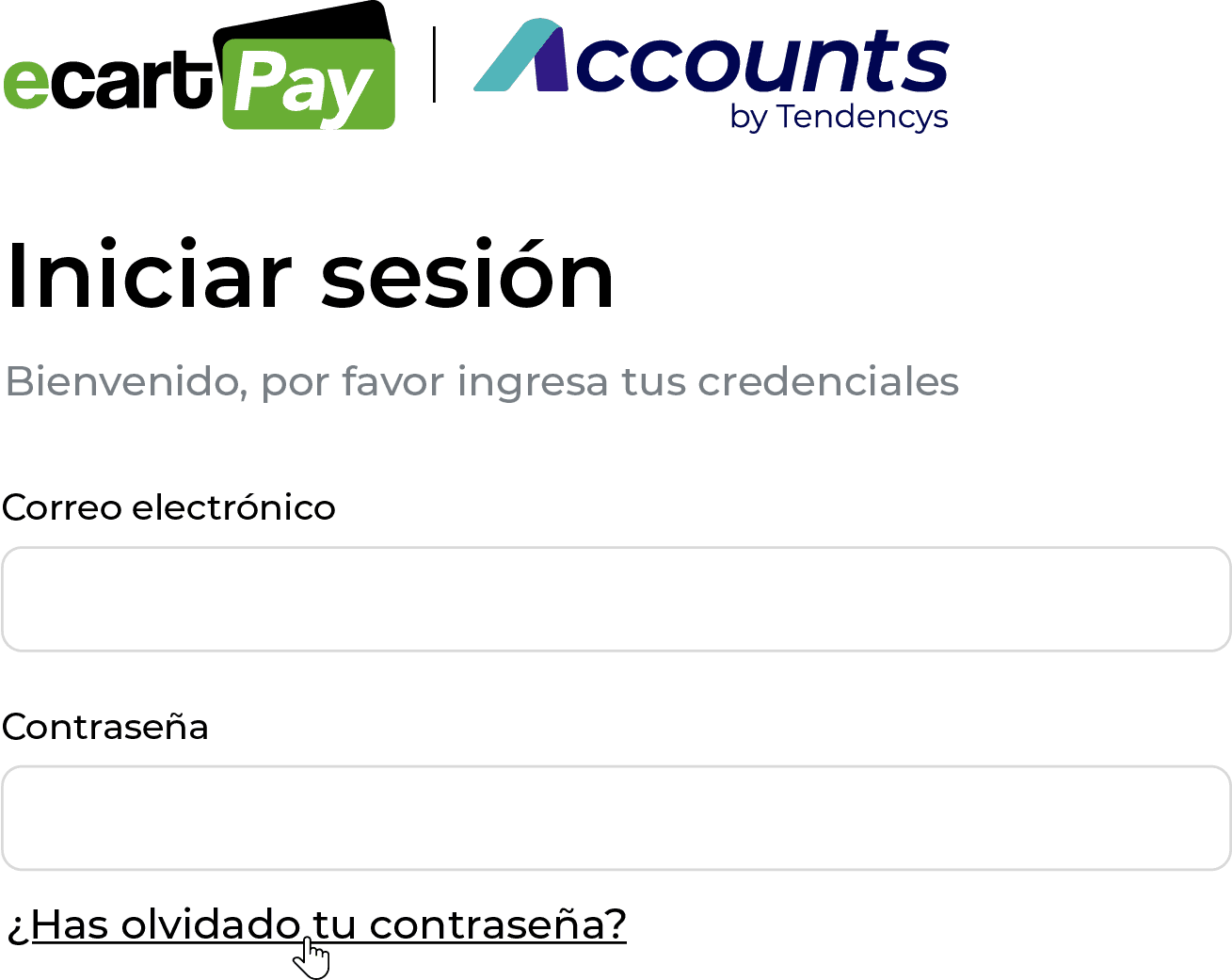
  3. Enter the email address associated with your account.

  4. Click on Send.


  5. Check your inbox: you will receive an email with a link to create a new password.

  6. Click on the link and choose a secure and easy-to-remember password.

🔐 Security tip:
Use a unique password, with a combination of letters, numbers, and symbols. Avoid reusing passwords that you use on other sites.

Previous

Create account

Next

How to change your profile picture

Related to Account settings

Set up your notifications

Account Language

How to change your profile picture

© 2026 Ecart Pay, S.A.P.I. de C.V. All rights reserved

support@ecartpay.com

|

sales@ecartpay.com

(+52) 81 2352 8962

Privacy policy

Code of ethics

Cookie Policy

Terms and Conditions

© 2026 Ecart Pay, S.A.P.I. de C.V. All rights reserved

support@ecartpay.com

sales@ecartpay.com

(+52) 81 2352 8962

Privacy policy

Code of ethics

Cookie Policy

Terms and Conditions

© 2026 Ecart Pay, S.A.P.I. de C.V. All rights reserved

support@ecartpay.com

|

sales@ecartpay.com

(+52) 81 2352 8962

Privacy policy

Code of ethics

Cookie Policy

Terms and Conditions